
Download App
"Hedu Cold Chain" is the business brand and companion management app. Scan the QR code to download the Hedu IoT app, view temperature data anytime, anywhere, and manage your NFC temperature tags.
Hedu Cold Chain Android
System Requirements:Android 8.0+
Compatible with Android smartphones and tablets; supports NFC temperature label reading, temperature data retrieval, and real-time monitoring.

Open your mobile browser, use the scan feature, and scan the QR code to download.
Hedu Cold Chain iOS
System Requirements:iOS 12.0+
Compatible with iPhone, iPad, and other Apple devices. Supports NFC temperature tag reading, data retrieval, and real-time monitoring.
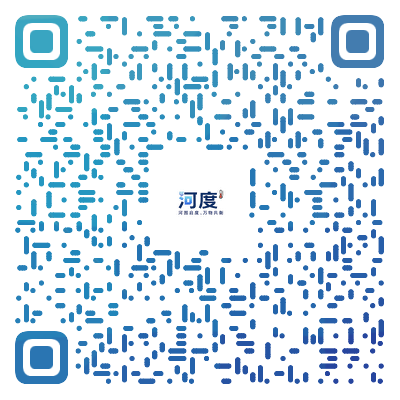
Open your mobile browser, use the scan feature, and scan the QR code to download.
APP Usage Steps

Scan QR code to watch
APP Video Tutorial
Shipping Process
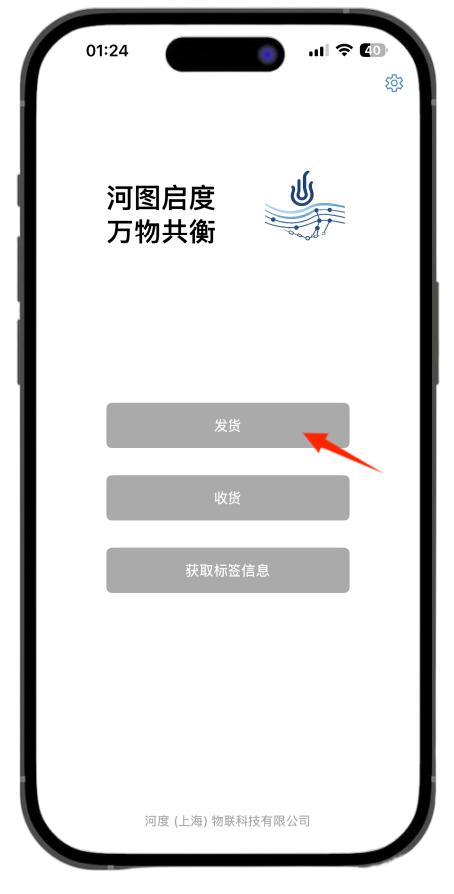
Open App
Turn on NFC on your phone, open the app, and tap "Ship".
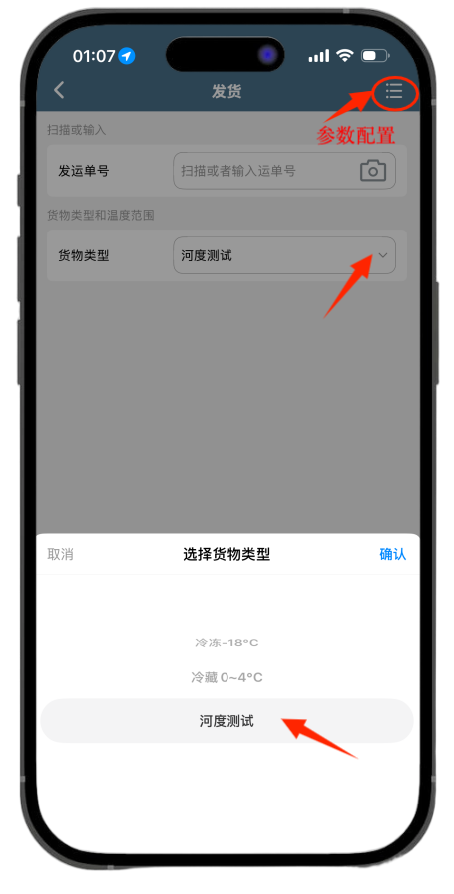
Settings
Select cargo type and configure temperature parameters
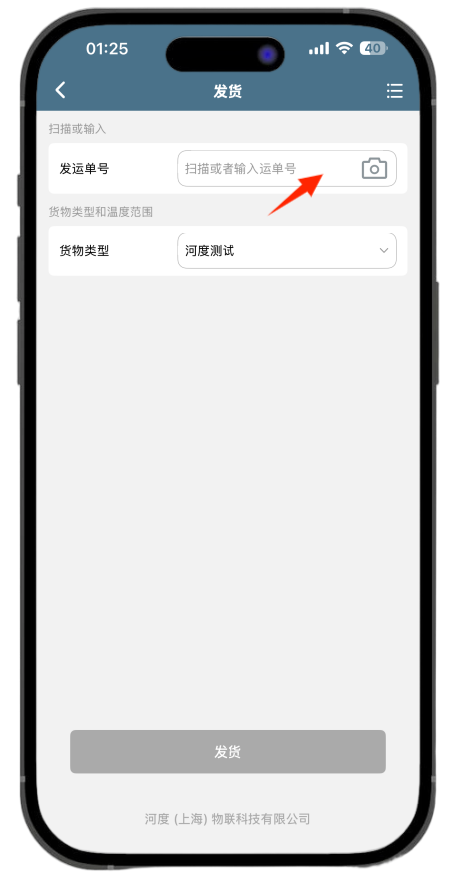
Bind Waybill
Enter / Scan PO Number / Barcode
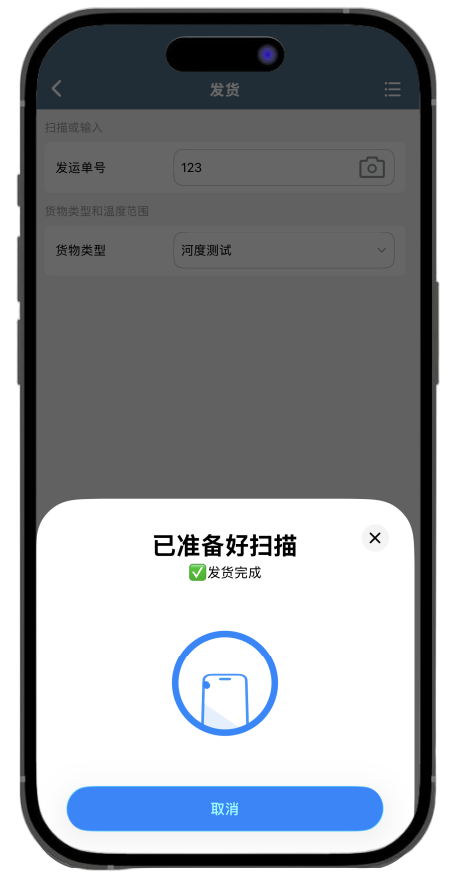
Start temperature measurement
Tap "Ship," then hold your phone near the temperature label. (Display showing "Shipment Complete" or "Success" is sufficient.)
Receiving Process
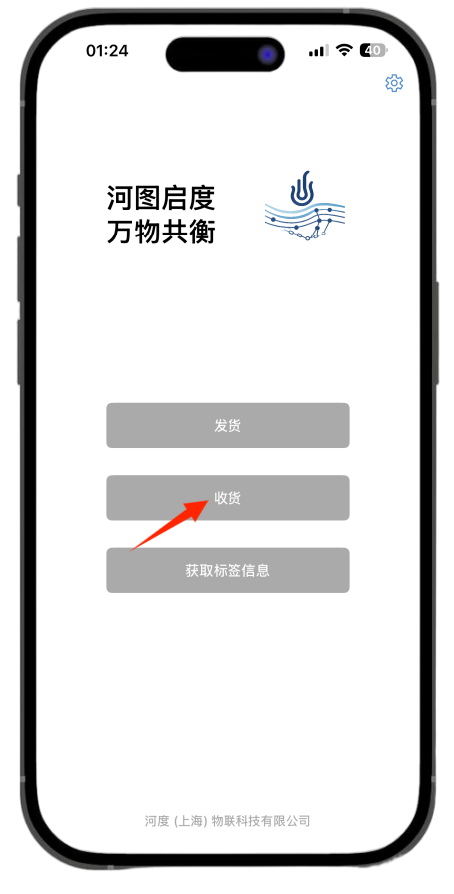
Open App
Enable NFC on your phone, open the app, and tap "Receive".
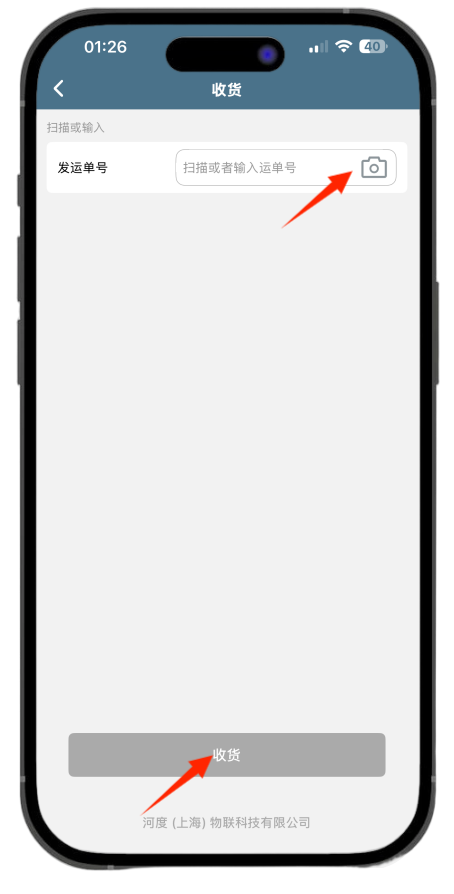
Scan Waybill
Enter/Scan PO Number or Barcode (Note: For the same label, this PO number must match the one previously entered for shipment; otherwise, receiving will fail.)
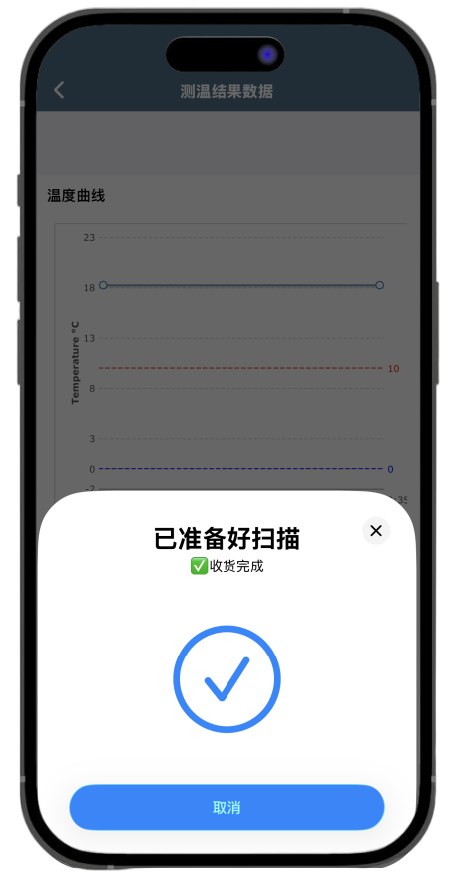
One-tap delivery
Tap "Receive" and hold your phone near the temperature tag. (Display showing "Receipt Completed" or "Receipt Successful" is sufficient.)
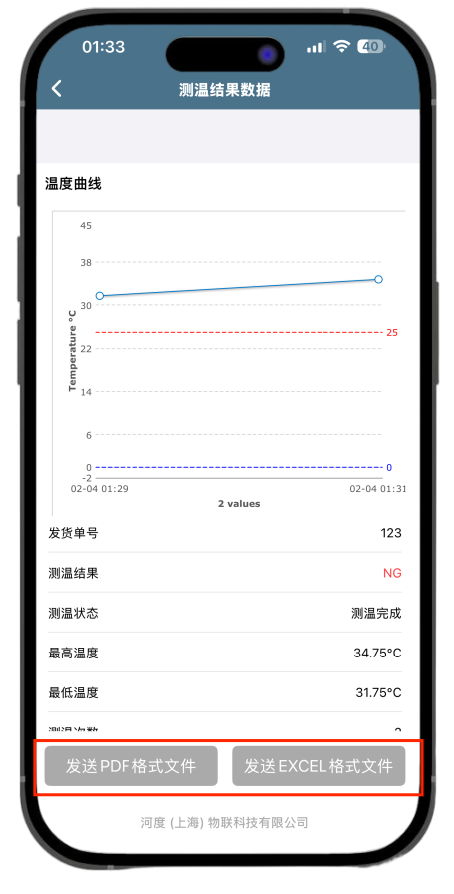
Check data
Get test result data, view temperature curves and measurement results, and share the test report.
Key App Features
NFC Read
Tap your phone to the NFC temperature tag to instantly read temperature data.
Real-time monitoring
View real-time temperature trends and monitor the latest status
Customize Configuration
Set temperature sampling intervals and alarm thresholds; supports custom configuration schemes with data stored locally on the device.
Export Data
Export temperature records to PDF or Excel
Cloud Sync
Automatically syncs data to the cloud for access anytime, anywhere.
System API Integration
Supports system API integration; can be embedded into customers' PDAs for receiving and shipping processes. Customization services available.
Need help?
If you encounter issues during download or installation, please contact our customer support team.
Contact Support